
QR Code Phishing (Quishing): The Fastest Growing Cyber Threat of 2026
-
 By Mrityunjay Singh
 - BLOGS
- Jun 18, 2026
- 6 minutes read
- 65 Views
QR codes have become a part of everyday life. From restaurant menus and digital payments to event registrations and business promotions, Quick Response (QR) codes offer a convenient way to access information instantly. However, cybercriminals have found a new way to exploit this convenience.
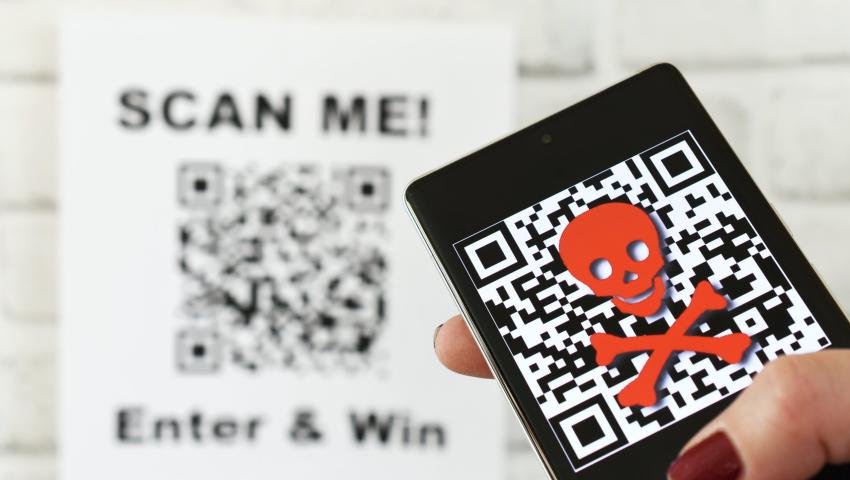
A rapidly growing attack technique known as QR Code Phishing, or Quishing, is emerging as one of the most dangerous cyber threats of 2026. Instead of sending victims suspicious links through emails or messages, attackers hide malicious URLs inside QR codes, making traditional security controls far less effective.
Many users automatically trust QR codes because they cannot immediately see the destination URL. This blind trust is exactly what cybercriminals are exploiting.
As organizations increasingly adopt QR-based services, understanding Quishing attacks has become essential for both businesses and individuals.
What Is Quishing?
Quishing is a phishing attack that uses malicious QR codes to redirect victims to fraudulent websites, malware downloads, or credential-stealing pages.
The term combines:
- QR Code
- Phishing
Instead of clicking a suspicious link, victims scan a QR code using their smartphones.
The QR code may lead to:
- Fake login pages
- Banking scams
- Malware downloads
- Payment fraud websites
- Credential theft portals
Because the destination is hidden until scanned, users often lower their guard.
Why Quishing Is Growing So Rapidly
Several factors contribute to the rapid rise of QR phishing attacks.
Increased QR Code Usage
QR codes are now used for:
- UPI payments
- Restaurant menus
- Marketing campaigns
- Event check-ins
- Product information
Mobile Device Dependence
Most QR scans occur on smartphones, where users are more likely to trust content.
Hidden URLs
Users cannot visually inspect QR code destinations before scanning.
Security Tool Limitations
Many email security systems focus on detecting malicious links but may not fully analyze embedded QR codes.
Human Trust
People generally perceive QR codes as safe and legitimate.
Attackers take advantage of this perception.
How Quishing Attacks Work
A typical Quishing attack involves several stages.
Step 1: Create a Malicious Website
Attackers build fake pages that mimic:
- Microsoft 365
- Google Workspace
- Banking portals
- Payment gateways
- Social media platforms
These pages are designed to steal credentials.
Step 2: Generate a QR Code
The malicious URL is encoded into a QR code.
The code appears harmless and often looks identical to legitimate QR codes.
Step 3: Distribute the QR Code
Attackers place QR codes through:
- Emails
- Posters
- Flyers
- Fake invoices
- Social media posts
- Messaging apps
Step 4: Victim Scans the Code
The victim scans the QR code using a smartphone.
The device opens the malicious website.
Step 5: Data Theft
Victims unknowingly enter:
- Login credentials
- Banking details
- Credit card information
- One-time passwords (OTPs)
The attacker captures the information immediately.
Common Types of Quishing Attacks
1. Fake Microsoft 365 Login Pages
One of the most common Quishing campaigns targets business users.
Example
An employee receives an email claiming:
"Your Microsoft 365 password is expiring. Scan the QR code to reset your account."
After scanning, the victim lands on a fake Microsoft login page.
The credentials are stolen.
2. Banking QR Code Scams
Cybercriminals create fake banking websites and payment portals.
Victims are tricked into:
- Logging into online banking
- Authorizing fraudulent transactions
- Revealing sensitive information
3. UPI Payment Frauds
In countries where QR payments are widely used, attackers exploit QR-based transactions.
Common Tricks
- Fake payment requests
- QR code replacement scams
- Donation fraud
- Marketplace payment scams
Victims unknowingly transfer money to attackers.
4. Package Delivery Scams
Victims receive messages claiming:
- Delivery failed
- Address verification required
- Customs payment pending
The message includes a QR code.
Scanning it leads to fraudulent payment pages.
5. Cryptocurrency Scams
Attackers distribute QR codes that direct users to:
- Fake crypto exchanges
- Fraudulent investment schemes
- Wallet-draining applications
The losses can be significant.
Why Quishing Is More Dangerous Than Traditional Phishing
Traditional phishing often contains warning signs:
- Suspicious links
- Poor grammar
- Unusual formatting
Quishing removes many of these indicators.
Advantages for Attackers
Hidden Destination URLs
Victims cannot easily see where the QR code leads.
Mobile Device Trust
Users often trust content accessed via smartphones.
Security Bypass
QR codes can bypass some traditional email security filters.
Visual Legitimacy
QR codes appear professional and harmless.
As a result, Quishing often achieves higher success rates than standard phishing campaigns.
Real-World Warning Signs of Quishing
Several red flags may indicate a malicious QR code.
Unexpected QR Codes
Be cautious when receiving QR codes unexpectedly.
Urgent Requests
Attackers often create pressure.
Examples include:
- Account suspension warnings
- Payment deadlines
- Security alerts
Requests for Credentials
Legitimate organizations rarely require login credentials through QR code scans.
Unverified Sources
Avoid scanning codes from unknown senders.
Physical Tampering
Check for stickers placed over existing QR codes in public locations.
Physical QR Code Replacement Attacks
Not all Quishing attacks occur online.
Cybercriminals often replace legitimate QR codes with malicious versions.
Common Targets
- Parking meters
- Restaurant menus
- Public advertisements
- Event venues
- Retail stores
Victims believe they are accessing legitimate services.
Instead, they are redirected to fraudulent websites.
How Businesses Are Being Targeted
Organizations increasingly rely on QR codes for operational efficiency.
This creates new attack opportunities.
Common Business Targets
- Employee login portals
- HR systems
- Cloud applications
- Financial departments
- Customer service platforms
A single successful scan can lead to:
- Credential theft
- Data breaches
- Financial fraud
- Network compromise
How Organizations Can Defend Against Quishing
Employee Awareness Training
Teach employees how QR phishing works.
Include Quishing scenarios in phishing simulations.
Mobile Security Solutions
Deploy security tools capable of analyzing URLs accessed through QR codes.
Multi-Factor Authentication (MFA)
Even if credentials are stolen, MFA provides an additional layer of protection.
Email Security Enhancements
Modern email solutions should analyze:
- Embedded QR codes
- Linked destinations
- Image-based threats
Verification Procedures
Require secondary verification for sensitive actions.
How Individuals Can Stay Safe
Preview URLs Before Opening
Many QR scanning apps display the destination URL before opening it.
Always review the URL carefully.
Verify Payment Requests
Never assume a QR code is legitimate.
Verify through official channels.
Use Trusted QR Scanner Apps
Choose scanners that provide security warnings.
Avoid Scanning Unknown Codes
Treat QR codes like suspicious links.
Enable MFA Everywhere
Protect important accounts with:
- Multi-factor authentication
- Passkeys
- Strong passwords
The Future of Quishing Attacks
Cybersecurity experts expect Quishing to become increasingly sophisticated.
Future attacks may include:
AI-Generated Phishing Pages
Highly realistic fake websites.
Personalized QR Scams
Custom-tailored attacks targeting specific individuals.
Deepfake Integration
Combining QR phishing with voice and video impersonation.
Automated QR Campaigns
Large-scale attacks targeting thousands of victims simultaneously.
Organizations must prepare for a future where QR codes become a primary attack vector.
Why Security Awareness Must Evolve
Many security awareness programs focus heavily on:
- Email phishing
- Suspicious links
- Malware attachments
Modern programs must also address:
- QR code threats
- Mobile device security
- AI-powered scams
- Deepfake attacks
Cybersecurity education must evolve alongside attacker tactics.
Conclusion
QR Code Phishing, or Quishing, has rapidly emerged as one of the most dangerous cyber threats of 2026. By exploiting the convenience and trust associated with QR codes, cybercriminals can bypass traditional security controls and trick users into revealing sensitive information.
As QR code adoption continues to grow across industries, businesses and individuals must treat QR codes with the same caution they apply to suspicious emails and unknown links.
The next phishing attack may not arrive as a clickable URL—it may arrive as a simple square image waiting to be scanned.
Understanding Quishing today could prevent becoming its next victim tomorrow.
Mrityunjay Singh
Leave a comment
Your email address will not be published. Required fields are marked *