
Phishing Attacks in 2026: New Tricks and Prevention Tips
-
 By Mrityunjay Singh
 - BLOGS
- Oct 08, 2026
- 12 minutes read
- 1 View
Learn how phishing attacks are evolving in 2026, including AI-generated emails, QR code scams, fake login pages, and session theft. Discover practical ways to protect your accounts and business.
A message arrives claiming that your bank account will be suspended unless you verify your details. Another email appears to come from your manager, asking you to review an urgent document. A delivery notification asks you to pay a small fee through a link.
These messages may look ordinary, but they could be phishing attempts.
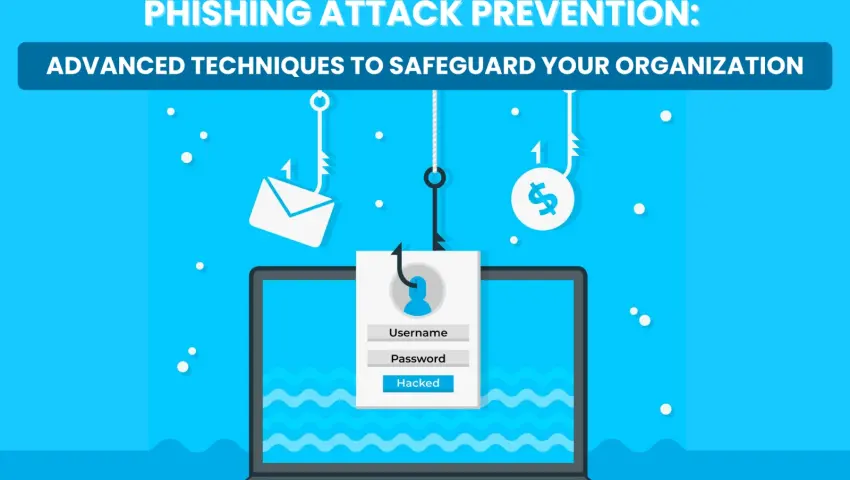
Phishing is a form of cyberattack in which criminals impersonate trusted people or organizations to trick victims into revealing sensitive information, authorizing access, sending money, or downloading harmful files.
In 2026, phishing remains a serious cybersecurity concern because attackers can combine traditional deception with AI-generated messages, fake authentication pages, QR codes, and techniques that target authenticated sessions.
CERT-In has specifically warned about AI-assisted phishing and, in its August 2026 advisory on Microsoft 365 threats, described campaigns involving device-code phishing, compromised session tokens, and business email compromise. Source: CERT-In security advisory
Understanding these techniques can help individuals, developers, and businesses recognize suspicious activity before it causes damage.
What Is a Phishing Attack?
A phishing attack attempts to manipulate a person into taking an action that benefits an attacker.
That action might include entering a password on a fake website, approving an unexpected sign-in request, sharing a one-time password, opening a malicious attachment, or transferring money to a fraudulent account.
Phishing can arrive through several channels:
- SMS and messaging applications
- Social media messages
- Phone calls
- QR codes
- Fake login pages
- Collaboration platforms
- Impersonated business communications
The defining feature is deception. The attacker tries to make an unsafe action appear legitimate.
Why Phishing Attacks Are Changing in 2026
Traditional phishing messages often contained obvious spelling errors, generic greetings, and suspicious formatting. Those clues can still be useful, but they are no longer sufficient.
AI tools can help criminals create polished messages, adapt their language, and personalize their approach. Attackers may also abuse legitimate cloud services or authentication workflows, making a fraudulent request harder to distinguish from routine business activity.
CERT-In's 2026 guidance highlights AI-assisted phishing, impersonation, automated reconnaissance, and credential compromise as relevant cybersecurity risks. Source: CERT-In AI cybersecurity guidance
Here are the major phishing patterns people and organizations should understand.
1. AI-Generated Phishing Emails
AI can help attackers write emails that sound professional and fit the target's language or business context.
A fraudulent message might imitate a bank's notification, a software subscription alert, or an internal company request.
For example, an employee may receive an email claiming that a shared document requires immediate review. The message uses familiar business terminology and appears to come from a colleague.
The goal may be to persuade the employee to open a fake login page or disclose account credentials.
Warning signs
- Unexpected requests to sign in again
- Pressure to act immediately
- Links that lead to unfamiliar domains
- Requests for passwords, OTPs, or recovery codes
- Unusual payment or document-sharing instructions
- A message that conflicts with normal company procedures
Prevention tip: Verify unexpected requests through a separate trusted channel. Do not rely on spelling, grammar, or professional formatting to determine whether an email is genuine.
2. QR Code Phishing: Quishing
QR code phishing, sometimes called quishing, uses a QR code to direct a victim to a fraudulent website or other unwanted destination.
The code might appear in an email, PDF attachment, printed notice, parking payment instruction, or fake delivery notification.
Because the destination is not immediately visible, a user may scan the code without checking the URL.
How to stay safe
- Confirm that the QR code comes from a trusted source.
- Preview the destination URL before opening it.
- Check the domain carefully.
- Do not enter account credentials simply because a page looks familiar.
- Use official applications or manually enter a trusted website address when possible.
QR codes are not inherently dangerous. The risk comes from trusting an unknown destination without verification.
3. Fake Login Pages and Credential Theft
One common phishing technique is to direct victims to a website that imitates a legitimate sign-in page.
The page may use familiar logos, colours, and layouts. A victim enters their username and password believing they are accessing a genuine service.
Depending on the attack, the criminal may then attempt to misuse the stolen credentials or persuade the victim to approve a fraudulent authentication request.
How to recognize a suspicious login page
- Check the complete domain name, not just the logo.
- Be cautious when a login link arrives unexpectedly.
- Avoid signing in through links in unsolicited messages.
- Use a password manager, which can help identify when a site does not match the expected domain.
- Enable multifactor authentication.
- Use passkeys where supported.
A padlock or HTTPS connection indicates an encrypted connection; it does not guarantee that a website is legitimate.
4. Device-Code Phishing and Authentication Abuse
Modern phishing does not always require an attacker to steal a password directly.
In a device-code phishing attack, a victim may be tricked into entering or approving a code as part of an authentication process. If the process authorizes a session controlled by the attacker, the attacker may gain access without collecting the victim's password in the traditional way.
CERT-In's August 2026 advisory describes device-code phishing campaigns targeting Microsoft 365 environments, including attempts to obtain access through legitimate authentication workflows. Source: CERT-In advisory on Microsoft 365 threats
How to protect yourself
- Do not enter a sign-in code unless you initiated and understand the authentication process.
- Never approve unexpected login or device-registration requests.
- Check the application and account details displayed during authorization.
- Report unfamiliar authentication prompts to your IT team.
- Review active sessions and connected applications when suspicious activity occurs.
Multifactor authentication is valuable, but users must still verify what they are approving.
5. Business Email Compromise
Business email compromise, or BEC, involves using impersonated or compromised business communications to deceive employees, suppliers, or customers.
An attacker may pretend to be a senior executive, finance manager, or trusted vendor. The request might involve an urgent bank transfer, a change to supplier payment details, or disclosure of confidential information.
Some BEC incidents begin with a phishing email that compromises a legitimate account. The attacker can then use that account to send messages that appear more trustworthy.
Prevention measures for businesses
- Require independent approval for significant payments.
- Verify supplier bank-account changes by calling a previously verified number.
- Use multifactor authentication for business email.
- Restrict access to financial systems.
- Monitor unusual forwarding rules and sign-in activity.
- Train staff to recognize unusual requests, even when they appear to come from a senior employee.
Financial procedures should remain consistent during emergencies. Urgency should never be a reason to skip verification.
6. Session Token Theft
After a user signs in, an application may use a session token to maintain the authenticated session. If an attacker obtains a valid token, they may attempt to misuse that session.
This means an account can remain at risk even when the password itself has not been disclosed.
CERT-In's 2026 Microsoft 365 advisory identifies session-token compromise as one of the techniques associated with targeted attacks against cloud environments. Source: CERT-In advisory
Defensive steps
- Keep browsers and operating systems updated.
- Use endpoint protection and email security controls.
- Review unfamiliar sign-in activity.
- Revoke suspicious sessions and refresh tokens through the relevant account or administrator controls.
- Investigate unexpected mailbox rules or unfamiliar connected applications.
- Require reauthentication for sensitive actions where supported.
Organizations should treat suspicious session activity as a potential security incident rather than assuming a password reset alone will always resolve it.
7. Phishing Through Messaging Apps and Social Media
Phishing is not limited to email.
Criminals may send messages through social media, messaging applications, workplace collaboration tools, or compromised accounts belonging to people the victim knows.
A message might contain a supposed photo, document, prize notification, job offer, or account verification link.
When a trusted contact's account is compromised, the message can appear more believable.
Stay protected
- Verify unusual messages, even when they come from known contacts.
- Avoid installing applications from unverified sources.
- Never share OTPs or recovery codes through chat.
- Enable available account-security features.
- Contact the sender through another channel if the request is unexpected.
Trust should be based on verification, not merely on the account name shown on the screen.
8. Phishing Attacks Targeting Websites and Developers
Developers and website administrators may receive messages claiming to be from hosting providers, domain registrars, plugin developers, cloud platforms, or security vendors.
The message might claim that a domain is about to expire, a website has been compromised, or an account requires immediate verification.
For developers, a successful phishing attack can expose source code, deployment credentials, cloud access, customer data, and production systems.
Website security recommendations
- Protect hosting, domain registrar, and source-control accounts with multifactor authentication.
- Use unique credentials for production systems.
- Store API keys and secrets securely.
- Restrict deployment permissions.
- Review repository access and third-party integrations.
- Keep CMS platforms, themes, plugins, and dependencies updated.
- Monitor administrative logins and unexpected configuration changes.
- Conduct authorized vulnerability assessments and security testing.
A secure website requires more than a strong hosting password. Access controls, software maintenance, monitoring, and secure development practices all matter.
9. How Businesses Can Detect and Prevent Phishing
Organizations should combine technical controls with employee awareness and a clear response process.
Email authentication
Configure appropriate email-authentication controls, including SPF, DKIM, and DMARC, to help reduce domain spoofing and improve handling of unauthorized messages.
These mechanisms are not a complete solution, but they are important parts of an email-security strategy.
Email filtering
Use email-security tools that can assess suspicious links, attachments, sender behaviour, and impersonation patterns.
Multifactor authentication
Require multifactor authentication for critical accounts, especially email, cloud administration, finance, and remote access.
Security awareness
Train employees to report suspicious messages instead of forwarding them to colleagues or interacting with the sender.
Monitoring and response
Monitor sign-ins, email rules, unusual account activity, and unexpected authorization events. Establish a process for isolating compromised accounts and preserving relevant evidence.
CERT-In recommends stronger monitoring, regular security training, and improved incident readiness as part of its broader guidance on AI-assisted cyber risks. Source: CERT-In cybersecurity guidance
10. What to Do If You Clicked a Phishing Link
Clicking a link does not always mean your device or account has been compromised. The appropriate response depends on what happened next.
If you entered a password, approved an unexpected authentication request, downloaded a file, or shared financial information, take action promptly.
- Secure the account. From a trusted device, change the affected password and any reused passwords.
- Revoke suspicious sessions. Sign out unfamiliar sessions and remove unknown connected applications where appropriate.
- Contact your IT or security team. If it is a work account, report the incident immediately.
- Check financial accounts. Contact your bank or payment provider if financial details or transactions may be affected.
- Scan the device. Use updated security software if you downloaded or opened a suspicious file.
- Preserve evidence. Keep the original message, sender information, suspicious URL, and relevant timestamps.
- Report the incident. In India, report cybercrime through the National Cyber Crime Reporting Portal. If money has been lost to suspected financial cybercrime, call 1930 promptly.
Do not assume that deleting the email or changing a password automatically removes every form of compromise.
Phishing Prevention Checklist for 2026
Use this checklist for personal and business accounts.
- Verify unexpected links before opening them.
- Check the full domain before entering credentials.
- Use unique passwords and a trusted password manager.
- Enable multifactor authentication or passkeys where supported.
- Never share OTPs, recovery codes, or passwords with callers.
- Confirm payment requests through a separate trusted channel.
- Keep applications, browsers, and operating systems updated.
- Review account sessions and connected applications periodically.
- Train employees to recognize phishing and report suspicious messages.
- Maintain a documented incident-response process.
Frequently Asked Questions
What is the most common goal of phishing attacks?
Phishing attacks commonly aim to steal login credentials, obtain sensitive information, persuade victims to transfer money, or trick them into granting access to accounts and systems.
Are phishing emails created using AI harder to detect?
They can be. AI can help generate convincing language and personalized messages, so grammar and spelling errors are no longer reliable indicators on their own.
Can multifactor authentication prevent phishing?
Multifactor authentication can reduce the risk of account compromise, but some attacks target authentication approvals, session tokens, or other weaknesses. Passkeys and phishing-resistant authentication methods provide stronger protection against many credential-phishing scenarios.
What is QR code phishing?
QR code phishing uses a QR code to direct someone to a deceptive website or another unwanted destination. Always verify the destination before entering sensitive information.
What is business email compromise?
Business email compromise is a form of fraud involving impersonated or compromised business communications, often used to request money, change payment details, or obtain sensitive information.
How can I report phishing in India?
You can submit a complaint through the National Cyber Crime Reporting Portal. If you have lost money in a suspected financial cybercrime, call 1930 promptly.
Can cybersecurity tools stop every phishing attack?
No single tool blocks every phishing attempt. Email filtering, endpoint protection, authentication controls, monitoring, user awareness, and incident response work best together.
Conclusion
Phishing attacks in 2026 are not limited to poorly written emails or suspicious links. AI-generated messages, QR codes, authentication abuse, compromised accounts, and session-token theft make it important to look beyond obvious warning signs.
For individuals, the best defence is to verify unexpected requests, protect account credentials, and avoid approving unfamiliar sign-ins. For businesses, strong email security, multifactor authentication, payment verification, monitoring, and employee training are essential.
Cybersecurity professionals can strengthen these defences through authorized testing, vulnerability management, and incident-response planning.
The key lesson is simple: pause, verify, and report. A few seconds of independent verification can prevent a much larger security incident.
Official Resources
- CERT-In Security Advisories
- CERT-In: AI-Assisted Cybersecurity Guidance
- National Cyber Crime Reporting Portal
- Financial cybercrime helpline in India: 1930
Mrityunjay Singh
Leave a comment
Your email address will not be published. Required fields are marked *