
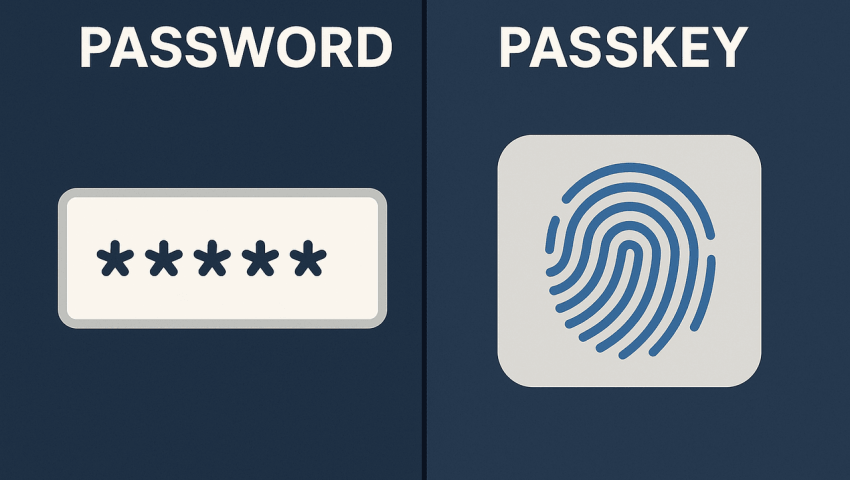
Passkeys vs Passwords: Is the Password Era Ending?
-
 By Mrityunjay Singh
 - BLOGS
- Sep 16, 2026
- 12 minutes read
- 56 Views
Learn how passkeys work, how they compare with traditional passwords, why passkeys are resistant to phishing, their benefits and limitations, and what the future of online authentication looks like.
For decades, passwords have been the most common way to protect online accounts.
From email and social media to banking, cloud platforms and business applications, almost every online service has traditionally asked users to create a username and password.
But passwords have a major weakness.
They have to be remembered, stored, transmitted and protected. People reuse them, forget them, write them down, share them accidentally and sometimes enter them into fake websites.
Cybercriminals know this.
Password theft remains an important part of phishing, credential stuffing and account takeover attacks.
A different approach is now becoming mainstream: passkeys.
Passkeys allow users to authenticate using cryptographic credentials stored on their device or managed through a passkey provider. Instead of typing a password, users generally confirm their identity using a device PIN, fingerprint, face recognition or another supported method.
The FIDO Alliance reported in May 2026 that an estimated 5 billion passkeys are now in active use worldwide, while 75% of surveyed consumers across ten countries said they had enabled passkeys on at least one account.
So the question is no longer whether passkeys exist.
The bigger question is:
Could passkeys eventually replace passwords for most online accounts?
What Is a Password?
A password is a secret string used to prove that a user is authorized to access an account.
For example:
MySecurePassword123
A real password should be:
- Long
- Unique
- Difficult to guess
- Not reused across websites
- Stored securely
- Protected with additional authentication where possible
However, passwords depend heavily on human behavior.
A user might create one password and reuse it across:
- Shopping websites
- Banking applications
- Work accounts
If one website suffers a credential breach and the password is reused elsewhere, attackers may try the same credentials against other services.
This technique is known as credential stuffing.
What Is a Passkey?
A passkey is a password-replacement authentication credential based on public-key cryptography and FIDO standards.
Instead of sharing a password with a website, a passkey uses a cryptographic key pair.
The basic model contains:
- A private key
- A public key
The private key remains under the user's control, while the service stores the corresponding public key.
FIDO standards use public-key cryptography to provide phishing-resistant authentication.
When a user signs in, the device or passkey provider performs the required cryptographic operation after the user verifies themselves locally.
This means the user does not need to type a password into the website.
How Do Passkeys Work?
The process can look complicated technically, but the user experience is usually simple.
Step 1: Create a Passkey
A user visits a website or opens an application that supports passkeys.
They choose an option such as:
Create a passkey
The device then creates the necessary cryptographic credentials.
Step 2: Verify the User
The device asks the user to confirm their identity.
Depending on the device, this could involve:
- Fingerprint
- Face recognition
- Device PIN
- Screen lock
- Security key
The biometric itself is generally processed locally by the device rather than being sent to the website.
Step 3: Sign In
Later, the user selects the passkey login option.
Instead of typing a password, they authenticate through their device.
The authentication system verifies the cryptographic response.
The user gets access without entering a traditional password.
Passkeys vs Passwords
| Feature | Passwords | Passkeys |
|---|---|---|
| User must remember secret | Yes | No |
| Password reuse risk | Yes | Designed to avoid reuse |
| Phishing resistance | No | Yes |
| Credential database exposure | Password hashes can be targeted | No password secret required |
| Login experience | Type password | Device authentication |
| Biometric support | Optional | Commonly used locally |
| Credential unique per service | Depends on user | Yes |
| Credential stuffing risk | High when passwords are reused | Greatly reduced |
| Recovery | Reset password | Depends on provider/device setup |
| Cross-device support | Easy | Supported through passkey providers and synchronization |
| Hardware security key support | Possible through MFA | Yes |
Passkeys are designed to address several weaknesses that exist with password-based authentication.
Why Are Passkeys Considered More Secure?
The biggest difference is the use of public-key cryptography.
With a traditional password system, the user has a secret that can potentially be:
- Phished
- Reused
- Guessed
- Stolen through malware
- Exposed through a breach
- Shared accidentally
With passkeys, the authentication system does not require the user to send a password to the website.
The private cryptographic key remains protected by the authenticator.
This design significantly changes the attack surface.
Passkeys and Phishing
Phishing attacks work by tricking users into giving information to an attacker.
A typical phishing page might look like:
Real Website Login
but actually be:
Fake Website Login
A user may enter:
- Username
- Password
- OTP
The attacker then receives the credentials.
Passkeys are designed differently.
A passkey is associated with the legitimate website or service during authentication. FIDO describes this property as verifier name binding, which is an important part of its phishing resistance.
This means a fake website cannot simply ask the user to type their passkey secret into a form.
There is no password for the victim to hand over.
What Happens If a Hacker Gets a Passkey?
This question is important.
A passkey is not simply a password stored in another format.
It is a cryptographic credential.
Depending on the implementation, passkeys may be:
- Synced across a user's devices
- Stored in a password/passkey manager
- Bound to a particular device
- Stored on a hardware security key
FIDO distinguishes between synced passkeys and device-bound passkeys.
A device-bound credential can provide strong protection because the credential remains associated with a particular authenticator.
Synced passkeys provide another benefit: easier recovery and access across supported devices.
What Are Synced Passkeys?
Synced passkeys are credentials that can be securely synchronized through a passkey provider.
For example, a user may create a passkey on one device and later access it from another supported device through the same passkey ecosystem.
This is important because one of the biggest challenges with device-only authentication is account recovery.
NIST describes syncable authenticators as cryptographic authenticators that can be stored or synchronized to support use across multiple devices.
The goal is to combine:
Security + Convenience
without returning users to password-based authentication.
What Are Device-Bound Passkeys?
A device-bound passkey is associated with a particular authenticator and is not intended to be freely synchronized between devices.
Hardware security keys are an example of this approach.
They can be useful in environments where stronger control over authentication credentials is required.
FIDO notes that hardware-backed, device-bound passkeys can provide a high level of assurance.
These can be particularly relevant for:
- Administrators
- Security teams
- High-value accounts
- Enterprise environments
- Privileged users
Are Passkeys the Same as Biometrics?
No.
This is a common misunderstanding.
A fingerprint or face scan is generally used to unlock or authorize the passkey on the user's device.
The biometric is not itself the passkey.
For example:
Fingerprint → unlocks authenticator → passkey performs authentication
The service does not normally receive your fingerprint data as part of this process.
FIDO states that biometric processing remains on the user's device and the remote service receives an indication that the local verification succeeded.
Passkeys and MFA
Passkeys can also change how people think about multi-factor authentication.
Traditional login may look like:
Password + SMS OTP
or:
Password + Authentication App
With passkeys, the cryptographic credential and local user verification can provide a different authentication model.
FIDO describes passkeys as capable of replacing passwords as the primary authentication factor and, in some deployments, replacing older password-plus-OTP flows.
However, security still depends on how an organization designs authentication and account recovery.
Are Passkeys Completely Hack-Proof?
No security technology should be described as completely hack-proof.
Passkeys reduce several important attack paths, particularly phishing and credential reuse, but the surrounding account ecosystem still matters.
Potential risks can include:
- Compromised devices
- Malicious software
- Weak account recovery
- Poor implementation
- Social engineering
- Compromised passkey-provider accounts
- Weak fallback authentication
FIDO itself has documented scenarios where poor deployment choices can undermine the security benefits of passkeys. For example, keeping a password as a weak fallback can reintroduce a phishing path.
So implementing passkeys is not simply a matter of adding a button saying:
"Login with Passkey."
The entire authentication architecture matters.
The Password Fallback Problem
This is one of the most important issues for organizations moving toward passkeys.
Imagine a service supports:
- Passkey
- Password
A user chooses passkey authentication.
But an attacker cannot phish the passkey.
So what does the attacker try next?
The password.
If the website allows an attacker to bypass passkey authentication simply by using a stolen password, much of the security improvement can be lost.
This is why organizations need to carefully design:
- Recovery
- Fallback authentication
- Account reset
- Device replacement
- Support procedures
FIDO has specifically highlighted passwords used as fallback mechanisms as a potential weakness in passkey deployments.
Benefits of Passkeys
1. Protection Against Phishing
Passkeys are designed to be resistant to traditional credential phishing.
2. No Password to Remember
Users don't have to remember complicated passwords.
3. Reduced Credential Reuse
Each service gets its own cryptographic credential.
4. Faster Login
Authentication can often be completed with a device unlock rather than typing a password.
5. Better User Experience
Users don't have to deal with repeated password-reset requests.
6. Reduced Password Storage Risk
Services do not need to store traditional passwords when using passkey-only authentication.
7. Support Across Modern Platforms
Passkeys are supported across major operating systems, browsers and passkey providers.
Disadvantages and Challenges of Passkeys
Passkeys are not without challenges.
Device Loss
Users can become concerned about losing the device where their credentials are available.
Synced passkeys can reduce this problem, but organizations still need reliable recovery processes.
Account Recovery
A badly designed recovery process can become the weakest part of the system.
User Confusion
Some users may not immediately understand:
- What a passkey is
- Where it is stored
- How to move it to another device
- How recovery works
Legacy Systems
Older applications may still depend heavily on passwords.
Enterprise Migration
Large organizations may have thousands of applications and authentication workflows.
Replacing passwords across all of them can take time.
Are Passkeys Better Than Password Managers?
These technologies solve different problems.
A password manager helps users create and store strong passwords.
A passkey replaces the password itself.
A password manager can therefore remain useful for:
- Websites that don't support passkeys
- Legacy applications
- Recovery information
- Other secrets
- Secure notes
As passkey adoption grows, password managers are increasingly adding passkey support as well.
So it is not necessarily:
Password Manager vs Passkey
It can be:
Password Manager + Passkeys
Passkeys and Cybersecurity
From a cybersecurity perspective, passkeys address several common attack techniques.
Credential Stuffing
Attackers use leaked usernames and passwords from one service against another.
Passkeys are unique to each service, reducing this type of password reuse attack.
Phishing
Attackers try to trick users into entering passwords into fake websites.
Passkeys are designed to resist this type of credential theft.
Password Database Attacks
Traditional password databases can be valuable targets.
With passkey authentication, the service stores a public key rather than a password secret.
Password Reuse
Passkeys do not require users to create the same memorable secret for multiple services.
Why Passkeys Are Becoming Popular in 2026
The technology is no longer limited to cybersecurity discussions.
Passkeys are increasingly supported by mainstream platforms and online services.
The FIDO Alliance's 2026 research found:
- Approximately 5 billion passkeys in active use
- 90% consumer awareness among surveyed respondents
- 75% had enabled a passkey on at least one account
- 68% of surveyed organizations with 500+ employees were deploying, piloting or rolling out passkeys
The consumer survey covered 11,000 adults across ten countries, including India.
This indicates that passkeys are moving from an emerging authentication technology toward mainstream adoption.
Government and Security Guidance
Passkeys are also receiving attention from cybersecurity authorities.
In April 2026, the UK's National Cyber Security Centre announced that it would begin recommending passkeys where supported, while recommending two-step verification where passkeys are not available.
NIST has also published guidance addressing syncable authenticators such as passkeys and their use within digital identity systems.
These developments show that passwordless authentication is becoming an important part of modern identity security.
How Businesses Can Prepare for Passkeys
Organizations planning a move toward passkeys should start with a structured approach.
Step 1: Identify Important Accounts
Start with:
- Admin accounts
- Developer accounts
- Cloud accounts
- Email accounts
- Financial systems
- Customer portals
Step 2: Review Current Authentication
Document:
- Password requirements
- MFA methods
- Recovery methods
- Password resets
- Privileged access
Step 3: Identify Passkey-Compatible Systems
Check whether important platforms support:
- WebAuthn
- FIDO2
- Passkeys
- Security keys
Step 4: Plan Recovery
Define what happens when:
- A user loses a phone
- A device is replaced
- A passkey becomes unavailable
- An employee leaves
- An administrator loses access
Step 5: Remove Weak Fallbacks Where Appropriate
If a passkey is deployed as a high-security authentication method, organizations should carefully evaluate whether passwords or weaker recovery mechanisms can bypass it.
Passkeys for Developers
For websites and applications, passkeys are generally implemented through established authentication standards.
Web applications can use the Web Authentication API (WebAuthn), while FIDO's Client to Authenticator Protocol (CTAP) is part of the broader FIDO2 ecosystem.
A simplified authentication architecture looks like:
User
↓
Website / App
↓
WebAuthn / FIDO Authentication
↓
Authenticator
↓
User Verification
↓
Cryptographic Authentication
The actual implementation requires careful handling of registration, authentication, credentials, recovery and account management.
Passwords vs Passkeys: Which One Is the Future?
Passwords are not disappearing overnight.
There are still billions of accounts that use them.
Many websites and applications will continue supporting passwords for years because of:
- Legacy systems
- Recovery requirements
- User familiarity
- Compatibility
- Migration challenges
However, the direction of authentication is changing.
Instead of asking:
"What password do you know?"
modern authentication increasingly asks:
"Can your trusted authenticator prove that you control the credential?"
That is a fundamental change.
Will Passwords Completely Disappear?
Probably not in the immediate future.
There will likely be a long transition period where organizations support:
- Passkeys
- Passwords
- Security keys
- Authenticator applications
- Recovery mechanisms
Over time, however, passwordless authentication may become the default for more services.
The growth of passkeys in 2026 suggests that the technology has moved well beyond the experimental stage.
The password era may not end with a single announcement.
It is more likely to fade gradually as more applications stop making passwords the primary way users prove their identity.
Passkey Security Checklist
For users:
- Enable passkeys wherever trusted services support them.
- Protect your phone and computer with a strong screen lock.
- Keep your operating system updated.
- Secure your passkey provider account.
- Review account recovery methods.
- Don't disable security protections just for convenience.
- Be careful with unexpected account-recovery requests.
For businesses:
- Identify critical accounts.
- Enable phishing-resistant authentication.
- Plan account recovery carefully.
- Avoid weak password fallbacks where inappropriate.
- Train employees.
- Monitor authentication events.
- Maintain multiple recovery options.
- Test the authentication process before large-scale deployment.
Mrityunjay Singh
Leave a comment
Your email address will not be published. Required fields are marked *