
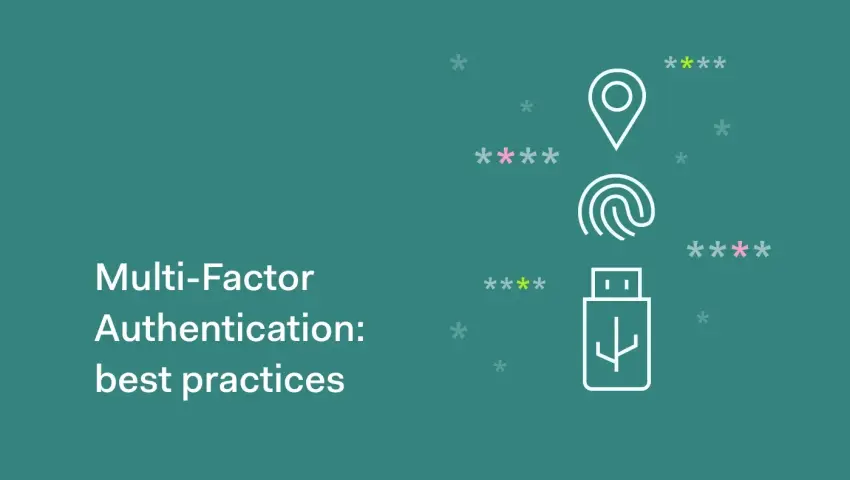
Multi-Factor Authentication (MFA) Best Practices: Strengthening Your First Line of Defense
-
 By Mrityunjay Singh
 - BLOGS
- Jul 18, 2026
- 5 minutes read
- 84 Views
Learn why Multi-Factor Authentication (MFA) is essential, how it works, common MFA attacks, and the best practices every individual and organization should follow in 2026.
Passwords have protected online accounts for decades, but they are no longer enough. Every year, millions of passwords are stolen through phishing attacks, data breaches, malware, and credential stuffing. Once an attacker has your password, they can access sensitive emails, financial accounts, cloud services, and business systems.
This is why Multi-Factor Authentication (MFA) has become one of the most effective cybersecurity controls available today.
MFA adds an additional verification step beyond a password, making it significantly harder for attackers to compromise accounts—even if they already know the password.
Whether you're an individual protecting personal accounts or an organization securing thousands of employees, implementing MFA correctly is one of the smartest cybersecurity investments you can make.
What Is Multi-Factor Authentication (MFA)?
Multi-Factor Authentication (MFA) is a security process that requires users to verify their identity using two or more independent authentication factors before gaining access to an account or system.
Instead of relying solely on a password, MFA combines different types of verification to confirm that the person logging in is legitimate.
The Three Authentication Factors
MFA works by combining one or more of these factors:
1. Something You Know
Information only the user should know, such as:
- Password
- PIN
- Security passphrase
2. Something You Have
A physical device or token the user possesses, including:
- Smartphone
- Authentication app
- Hardware security key
- Smart card
- OTP token
3. Something You Are
Biometric information unique to the user, such as:
- Fingerprint
- Face recognition
- Iris scan
- Voice recognition
Combining different categories provides stronger protection than relying on a password alone.
Why Passwords Alone Are No Longer Enough
Cybercriminals have many ways to steal passwords, including:
- Phishing emails
- Fake login pages
- Data breaches
- Keyloggers
- Credential stuffing
- Password spraying
- Social engineering
- Malware
If an account depends only on a password, a single successful attack can lead to unauthorized access.
MFA helps reduce this risk by requiring an additional verification step.
Benefits of Multi-Factor Authentication
Organizations and individuals benefit from MFA because it:
- Reduces account takeover attacks.
- Protects against stolen passwords.
- Improves regulatory compliance.
- Secures remote access.
- Strengthens cloud security.
- Protects financial transactions.
- Reduces identity theft.
- Enhances customer trust.
Even if attackers obtain login credentials, they still need the second authentication factor.
Common Types of MFA
SMS One-Time Password (OTP)
A temporary verification code is sent via text message.
Advantages
- Easy to use
- Familiar for most users
Limitations
- Vulnerable to SIM-swapping attacks
- SMS interception risks
- Less secure than modern alternatives
Authenticator Apps
Applications generate time-based one-time passwords (TOTPs).
Examples include:
- Google Authenticator
- Microsoft Authenticator
- Authy
Advantages
- More secure than SMS
- Works offline
- Widely supported
Push Notifications
Users approve login requests through a trusted mobile app.
Advantages
- Quick and convenient
- Easy user experience
Watch Out
Always verify that the login request is expected before approving it.
Hardware Security Keys
Physical devices connected through USB, NFC, or Bluetooth.
Advantages
- Extremely resistant to phishing
- Strong protection against account takeover
- Recommended for high-risk users
Biometric Authentication
Uses fingerprints or facial recognition.
Advantages
- Fast
- Convenient
- Difficult to replicate
Biometrics are often combined with another factor for stronger security.
MFA Best Practices
1. Enable MFA Everywhere Possible
Activate MFA for:
- Email accounts
- Banking services
- Social media
- Cloud platforms
- VPN access
- Business applications
- Developer accounts
- Administrative accounts
Email should be your highest priority because many password resets depend on it.
2. Prefer Authenticator Apps Over SMS
While SMS-based MFA is better than no MFA, authentication apps generally provide stronger protection against common attacks such as SIM swapping.
3. Use Hardware Security Keys for Critical Accounts
Administrators, executives, developers, and IT staff should consider hardware security keys for highly sensitive systems.
These provide strong protection against phishing attacks.
4. Protect Backup Codes
Most services provide recovery codes when MFA is enabled.
Store these codes securely in:
- Password managers
- Encrypted storage
- Secure offline locations
Do not save them in plain text on your desktop.
5. Enable MFA for Administrative Accounts First
Accounts with elevated privileges should always have MFA enabled.
Compromised administrator accounts can expose entire organizations.
6. Monitor MFA Activity
Security teams should investigate:
- Multiple failed MFA attempts
- Login requests from unfamiliar locations
- Unexpected authentication prompts
- Repeated account lockouts
Monitoring helps identify potential attacks early.
7. Train Users to Recognize MFA Fatigue Attacks
Attackers may repeatedly send authentication requests, hoping users approve one out of frustration.
If you receive an unexpected approval request:
- Do not approve it.
- Change your password if necessary.
- Report the incident to your IT or security team.
8. Keep Authentication Apps Updated
Regular updates help ensure compatibility, improve security, and address newly discovered vulnerabilities.
Common MFA Attacks
Even MFA is not immune to attack. Understanding common techniques helps reduce risk.
MFA Fatigue
Attackers repeatedly trigger login notifications until a user eventually approves one.
SIM Swapping
Criminals convince a mobile carrier to transfer a victim's phone number to a new SIM card.
They can then receive SMS-based verification codes.
Phishing Proxy Attacks
Attackers create fake login pages that capture both passwords and MFA codes in real time.
Modern phishing-resistant authentication methods help reduce this risk.
Social Engineering
Attackers impersonate IT support or trusted contacts to convince users to reveal verification codes or approve login requests.
MFA for Businesses
Organizations should:
- Require MFA for all employees.
- Enforce MFA for VPN and remote access.
- Protect privileged administrator accounts.
- Implement conditional access policies.
- Review authentication logs regularly.
- Remove inactive accounts.
- Conduct employee security awareness training.
MFA should be part of a broader identity and access management strategy.
Warning Signs of MFA Abuse
Investigate if you notice:
- Login attempts from unusual countries.
- Multiple authentication requests you didn't initiate.
- Unexpected password reset notifications.
- New devices appearing on your account.
- Authentication prompts at odd hours.
These may indicate attempted account compromise.
Common Mistakes to Avoid
- Using only passwords.
- Ignoring unexpected authentication prompts.
- Relying solely on SMS where stronger options are available.
- Sharing OTPs or verification codes.
- Leaving administrator accounts without MFA.
- Failing to secure backup recovery codes.
- Not reviewing login activity regularly.
Final Thoughts
Multi-Factor Authentication is one of the simplest yet most powerful cybersecurity measures available today. As cybercriminals continue to steal passwords through phishing, malware, and data breaches, adding an extra layer of verification dramatically reduces the chances of unauthorized access.
Whether you're protecting a personal email account or managing an enterprise network, implementing MFA should be a top priority. Combined with strong passwords, regular security updates, employee awareness, and continuous monitoring, MFA forms a critical part of a modern, layered cybersecurity strategy.
In today's threat landscape, a password alone is no longer enough—but a well-implemented MFA solution can make all the difference.
Mrityunjay Singh
Leave a comment
Your email address will not be published. Required fields are marked *